Strategy
SEO Mistakes: 15 Errors Small Businesses Make (and How to Fix Them)
The most common SEO mistakes are blocking Google from crawling your pages, targeting keywords without checking search intent, publishing thin or duplicate content, running slow or mobile-unfriendly pages, building spammy links and neglecting local listings. Fix crawling and indexing first, because a page Google cannot index cannot rank.
Search engine optimization (SEO) is the practice of raising a website's visibility in unpaid search results. This guide groups 15 mistakes into five sections and shows how to spot and fix each one. It then separates real mistakes from the myths that Google's own guidance says you can ignore. Sources are checked as of 31 October 2026.

How do you know if you have an SEO problem?
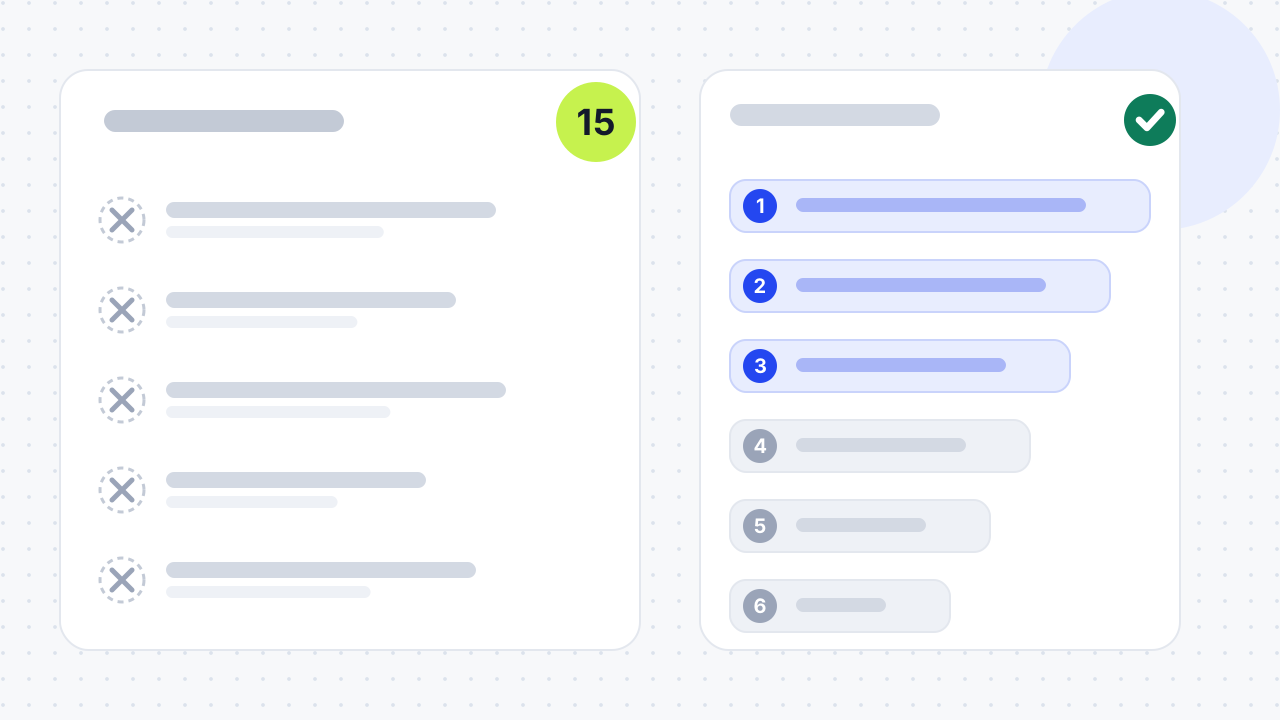
You probably have an SEO problem if your pages are indexed but get few impressions, or you publish steadily with nothing reaching page one. Other signs are flat or falling Google traffic, the wrong pages ranking, and visitors who do not engage or convert. Lucidly lists these five signs and says they usually point to basic optimisation mistakes, not a dead SEO channel.
Check them in Google Search Console, which shows the queries that drive impressions and clicks, your average position and any indexing issues. Give fixes time to show. Google's SEO Starter Guide says changes can take from hours to months to have an effect, and suggests waiting a few weeks before you judge the results.
Which SEO mistakes stop Google finding your pages?
Three mistakes stop Google reaching or loading your pages: accidental blocking, broken links and redirects, and slow or mobile-unfriendly pages. Fix these first, because content cannot rank until Google can crawl and index it.
1. Blocking crawling or indexing by accident
The most damaging mistake is telling Google, without meaning to, not to crawl or index your pages. It happens on new sites and after redesigns, when important pages carry a noindex tag, robots.txt blocks key sections, or the XML sitemap is missing or out of date. If Google cannot crawl or index a page, it cannot rank it.
Check the Indexing report in Google Search Console and test key URLs with the URL Inspection tool, as Lucidly advises. Keep the sitemap current, and use robots.txt to guide crawlers towards important pages, not to hide them. Our robots.txt generator writes a clean file.
2. Leaving broken links and redirect problems
Broken links, 404 and 500 errors and redirect loops waste crawl budget and send visitors to dead ends. Semrush lists 4xx errors, 5xx errors, redirect loops and broken or nofollow links among the causes of poor crawlability. It defines crawl budget as the time and resources crawlers give your site before moving on.
Use a 301 redirect for a permanent move and a 302 only for a temporary one. Legiit notes that 302s are often misused. Google's guide suggests redirecting non-preferred URLs to the preferred version where duplicates exist. A crawler such as Screaming Frog, which Legiit names, will list the broken links on your site.
3. Ignoring page speed and mobile use
Slow pages and poor mobile layouts drive visitors away and weaken your visibility. Semrush calls load speed a confirmed Google ranking factor, and Yoast says Google ranks the mobile version of your site under mobile-first indexing.
Compress and resize images, trim heavy scripts and unneeded WordPress plugins, and choose responsive design, which Semrush says is Google's recommended method. Lucidly points to the Core Web Vitals (LCP, INP and CLS) and testing on real phones. Browse your own site on a phone and tap every button, as Yoast suggests. Our guide to Core Web Vitals and conversions goes further.
Which keyword and content mistakes hold pages back?
Five mistakes sit between a good page and a ranking: mismatched intent, unwinnable keywords, keyword stuffing, thin content and duplicate pages that compete with each other.
4. Choosing keywords without checking search intent
A page ranks only if it matches what the searcher wants to do. Semrush describes four types of search intent: informational, navigational, commercial and transactional. Writing a blog post for a keyword whose results are product pages wastes the effort. Lucidly's example is targeting a service keyword such as "SEO agency Dubai" with an article.
Search the keyword before you write and read what ranks. Semrush says featured snippets and People Also Ask boxes point to informational intent, product listings suggest transactional intent and comparison articles suggest commercial intent. Our guides on how to do keyword research and connecting search intent to revenue explain the method.
5. Chasing keywords you cannot win
Broad keywords are dominated by large companies, so a small business should target specific phrases it can realistically win. Yoast's example is "rental car": too competitive for a small firm, which should add a location or aim at long-tail phrases. Longer phrases have lower search volume but clearer intent, so they reach the right people.
Yoast adds that optimising many pages for different long-tail phrases can bring more combined traffic than one page aimed at a broad term. For a local firm, the quickest fix is the place name: "electrician in Leeds" is usually easier to win than "electrician".
6. Stuffing keywords into the page
Keyword stuffing means repeating a phrase unnaturally to manipulate rankings, and Google treats it as spam. Google's spam policies describe it as filling a page with keywords or numbers, often out of context. They say sites that violate the policies may rank lower or not appear at all.
Write naturally first and optimise second. Semrush says the main keyword belongs in the title, meta description, opening paragraph, alt text, some headings and the body where it fits. Variations such as "how to bake a gluten-free cake" read better than forced word order. Lucidly's test is to read the page aloud: if it sounds odd, it is over-optimised.
7. Publishing thin or low-quality content
Thin content gives searchers no reason to choose your page. Lucidly's examples are 200-word service pages and generic posts that repeat what others say. Semrush adds misinformation, outdated facts, spelling errors and intent mismatch to its definition of low-quality content.
Do not chase a word count. Yoast says every page needs at least 300 words, and Legiit suggests 1,000 or more where useful. Google's SEO Starter Guide says there is no ideal word count for ranking. Cover the questions a visitor would still have, add examples and next steps, and show who wrote the page. Our content refresh framework shows which old pages to improve first.
8. Letting duplicate pages compete with each other
Duplicate content and keyword cannibalisation split your ranking signals between pages that say the same thing. Semrush defines duplicate content as one page with the same or nearly the same content as another, including templated pages with a few words changed. It defines cannibalisation as two pages targeting the same keyword.
Make each page unique, redirect or merge pages you do not need, and use a canonical tag to name your preferred version. Google's guide adds a correction: duplicate content is inefficient but not a penalty, while copying other people's content is a different matter. To test your own site, search the keyword and see which of your pages appear. If two do, merge or differentiate them.
Which on-page mistakes cost you clicks?
Three on-page mistakes cost clicks and rankings: weak titles and descriptions, missing alt text, and poor internal linking. All three are cheap to fix.
9. Writing weak title tags and meta descriptions
Titles and descriptions decide whether people click your result. Yoast says the page title is an important ranking factor and the meta description is not, but a clear description improves click-through rate. Semrush's causes of under-optimisation are missing tags, tags that are too long or too short, and duplicate tags across pages.
Give each page a unique, concise title that describes it, and a description that summarises it, as Google's guide advises. Semrush suggests 50 to 60 characters for titles and 105 or fewer for descriptions; treat those figures as guides, not rules.
10. Skipping alt text and oversized images
Images without alt text, or with huge file sizes, hurt accessibility, speed and image search. Semrush lists three image problems: missing alt text, oversized files and broken images. Alt text lets screen readers describe an image and gives crawlers context.
Write alt text that is descriptive, unique and natural. Resize and compress images before you upload them; Semrush names the free tool Squoosh. Google's guide also asks for relevant, high-quality images with descriptive alt text.
11. Neglecting internal links and anchor text
Pages with no internal links are hard for visitors and Google to find. Legiit calls pages with no links pointing to them orphan pages, and Lucidly says beginners publish without linking new content to core pages or updating older articles.
Link blog posts to the service pages they support, use descriptive anchor text and vary it. Semrush repeats Google's test: read the anchor text on its own, and if you cannot tell what the page is about, make it more descriptive. Our on-page SEO checklist covers titles, headings and links together.
Which link and local mistakes damage trust?
Two mistakes damage trust with both Google and customers: buying spammy links and ignoring your local listings.
12. Buying links or building spammy backlinks
Buying links or using automated link tools can get your site demoted. Google's spam policies treat buying or selling links, excessive link exchanges and automated link creation as link spam, though paid links are acceptable when marked with rel="nofollow" or rel="sponsored". Lucidly warns that spammy links reduce trust and may trigger manual or algorithmic penalties.
Earn links with useful content and real relationships, and put relevance ahead of volume. Legiit suggests auditing your backlink profile with tools such as Ahrefs or Semrush. Our link building for beginners guide explains safe methods.
13. Neglecting local SEO and your Google Business Profile
A local business that ignores its Google Business Profile misses the map results where nearby customers are ready to buy. Semrush says people tend to run local searches when they are ready to buy. It lists what to complete: business name, address and phone number, opening hours, photos, a description, the right category and attributes.
Keep your name, address and phone number identical everywhere. Semrush warns that even a small variation, such as a suite number in some listings only, can mislead users and search systems. If you serve several towns, build a dedicated page for each with unique copy. Our Google Business Profile guide and local SEO checklist cover the steps, and our local SEO service does the work for you.
Which measurement and strategy mistakes waste effort?
Two mistakes waste effort across everything else: not tracking results and treating AI search as a separate trick.
14. Not tracking performance
If you do not track results, you cannot tell what is working. Semrush recommends setting clear goals, then using Google Analytics 4 for traffic, behaviour, conversions and sources, and Google Search Console for queries, average position, click-through rates and indexing issues. Lucidly adds that you should track leads, calls and form submissions, not only visits.
Set up conversion tracking before you change anything else. That way you can measure the effect of every fix that follows.
15. Treating AI search as a separate trick
AI search needs the same foundations as SEO, plus content that answers questions directly. Semrush says SEO and answer engine optimisation (AEO) overlap but differ, and suggests opening each section with a direct answer to its heading. Google's documentation on AI features says there are no additional requirements to appear in AI Overviews or AI Mode, nor other special optimisations. You do not need AI-specific files or markup either.
Both can be true. The foundations are the same: a page must be crawlable, indexed and eligible to show with a snippet. Clear, answer-first writing helps on top. Be wary of "AI-only" fixes that skip these basics, and see our guides to ranking in AI Overviews and AI SEO.
Which SEO "mistakes" can you safely ignore?
Several widely repeated SEO rules are not requirements. Google's SEO Starter Guide, last updated on 10 December 2025, lists misconceptions to deprioritise. The table sets them beside what to do instead.
| Common claim | What Google says | What to do instead |
|---|---|---|
| Fill in the meta keywords tag | Google Search does not use the keywords meta tag | Spend the time on the title and description |
| Every page needs 300 words, or 1,000 or more | There is no ideal word count for ranking | Cover the question fully, however long that takes |
| Duplicate content triggers a penalty | It is inefficient, not a penalty; copying other people's content is different | Redirect or canonicalise duplicates and write your own text |
| Put keywords in the domain or URL | Domain and URL keywords have little effect beyond breadcrumbs | Choose names and URLs that suit the business and its visitors |
| Heading order must be perfect to rank | Semantic heading order does not matter for Search, though it helps screen readers | Keep headings clean for accessibility |
| E-E-A-T is a ranking factor you can score | Google says E-E-A-T is not a ranking factor in itself | Show real authorship and evidence because readers need them |
| You need special files or markup for AI Overviews | No new machine-readable files, AI text files or markup are needed | Keep pages crawlable, indexed and clear |
Treat these as not worth your time, not as harmful. Clean headings and unique pages still help visitors. The test for any fix is whether it serves the reader, and Google's guide notes that its own suggestions may not suit every business.
Which SEO mistakes should you fix first?
Fix them in the order that unlocks the others. Start with tracking, then crawling and indexing, then intent and duplicate pages, then content and on-page basics, then speed and mobile, then links, local listings and AI. This order is our judgement, not a Google ranking.
| Order | Fix | Mistakes | Why this position | Where to check |
|---|---|---|---|---|
| 1 | Set up tracking | 14 | You cannot measure any later fix without it | Google Analytics 4, Search Console |
| 2 | Let Google crawl and index | 1, 2 | Nothing else can rank if pages are not indexed | Search Console Indexing report, URL Inspection |
| 3 | Match intent and remove competing pages | 4, 5, 8 | One page, one purpose, one target keyword | Search the keyword; Search Console queries |
| 4 | Fix content and on-page basics | 6, 7, 9, 10, 11 | Cheap, and they decide clicks and relevance | Page by page |
| 5 | Improve speed and mobile use | 3 | Needs developer time, so do it once the basics are right | PageSpeed Insights, a real phone |
| 6 | Clean up links, local listings and AI readiness | 12, 13, 15 | Slower to change, and builds on the earlier fixes | Backlink tool, Google Business Profile |
Can you recover from bad SEO?
Yes, in almost every case. Most SEO problems are reversible with audits and structured fixes. Lucidly gives a sensible sequence. In the short term, fix indexing, technical errors and thin pages. In the mid term, align content with search intent and improve internal linking. In the long term, build authority, trust and local relevance.
Recovery is not instant, because changes can take hours to months to show. If your site breaks Google's spam policies, which can mean ranking lower or not appearing at all, remove the spam first. Our free SEO audit and SEO audit service find the problems for you. Our guides on why your website is not ranking, the SEO audit checklist and the technical SEO checklist show how to do it yourself.
01What is the 80/20 rule for SEO?+
It is the Pareto principle applied to SEO: roughly 80% of your results tend to come from 20% of your pages, keywords or fixes. The split is a guide, not a law. Export a year of page data from Google Search Console and sort by clicks to see where most of your traffic comes from. Then spend your time on those pages and the fixes that protect them.
02Is SEO dead now with AI?+
No. Google says there are no additional requirements to appear in AI Overviews or AI Mode, and standard SEO practices still apply. A page must still be indexed and eligible to appear with a snippet. Clear, answer-first writing helps, which is why this guide treats AI search as part of SEO, not a replacement.
03Is SEO still relevant in 2026?+
Yes, because every route into Google's results, including its AI features, starts with pages that can be crawled and indexed. Google's documentation says traffic from AI Overviews and AI Mode appears in the Search Console Performance report under the Web search type. You can measure it with the tools you already use.
04What are four types of SEO?+
The four types usually named are technical SEO, on-page SEO, off-page SEO and local SEO. Technical covers crawling, speed and structure, on-page covers content, titles and internal links, off-page covers backlinks, and local covers your Google Business Profile and nearby searches. There is no official list; this grouping follows how Wikipedia and Legiit split the topic.
05What is poor SEO?+
Poor SEO is optimisation that ignores either the search engine's guidelines or the reader's needs. Wikipedia calls techniques that break guidelines, such as hidden text, black hat SEO, and says they risk penalties, while white hat techniques tend to give lasting results. The mistakes in this guide are the everyday version: thin pages, stuffed keywords and spammy links.
06What are some easy SEO tricks?+
There are no secret tricks, but there are quick wins. Google's SEO Starter Guide says it contains no secrets that automatically rank a site first. The fast fixes are checking that your key pages are indexed, giving every page a unique title and description, adding descriptive alt text and linking related pages together.
07Is SEO difficult to learn?+
The basics are not difficult, and Google publishes a free SEO Starter Guide that covers them. The harder part is judgement: knowing which fix matters most for your site and how long to wait before judging it. This guide's priority table is a practical place to start.
08How long do SEO fixes take to work?+
Google says changes can take hours to months to show effects and suggests waiting a few weeks before judging results. You can confirm indexing fixes in Search Console sooner than you will see ranking changes. For timelines by site type, read our guide to how long SEO takes.
09Should I use a 301 or 302 redirect?+
Use a 301 for a permanent move and a 302 only when the move is temporary. Legiit says a 301 is best for SEO and a 302 is often misused, and Google's guide recommends redirecting non-preferred URLs to the preferred version. After a redesign, replace old URLs with 301s.
10How do I check whether Google has indexed my page?+
Use the Indexing report and the URL Inspection tool in Google Search Console. Lucidly advises testing key URLs there and keeping your sitemap updated. If a page is not indexed, check for a noindex tag or a robots.txt block first.
11Are paid links ever allowed?+
Yes, if they are marked. Google's spam policies treat buying or selling links to manipulate rankings as link spam, but paid links are acceptable when marked with rel="nofollow" or rel="sponsored". An unmarked paid link is the mistake.
12Should a small business fix SEO itself or hire help?+
Fix the basics yourself and hire help when the problem is technical or the stakes are high. Titles, alt text and internal links need no developer, but crawl blocks, redirects and site speed often do. A free SEO audit will show which group your site falls into.
Free SEO audit
Get a straight answer on what to fix first.
Request a free SEO audit and we will come back with the largest constraint on your organic growth and the first practical fix. No sales sequence.
Prefer to hire through Upwork? Hire me on Upwork