Technical SEO Checklist
Technical SEO Checklist 2026: 30 Fixes That Move Rankings
A page Google cannot crawl, render or index will not rank, however good its content is. The technical problems we find on audits are rarely exotic. They are a stray disallow rule, a redirect chain left over from a redesign, or a template that points every product’s canonical at page one. This checklist sets out 30 fixes in the order Google meets them, and each one ends with a plain test for when it is done.

What is a technical SEO checklist? The short answer
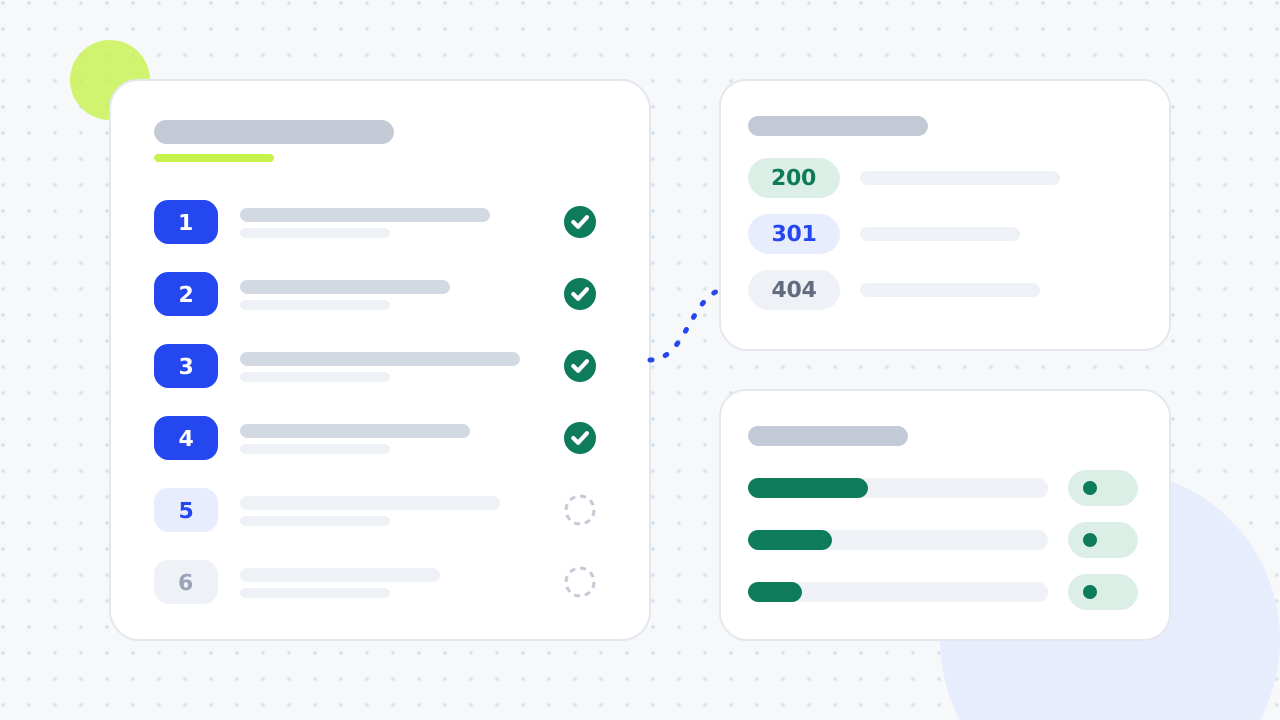
A technical SEO checklist is a list of site-level checks. Together they make sure search engines can crawl, render and index your pages, then load them fast and understand them. It covers robots.txt, XML sitemaps, status codes, redirects, canonical tags, Core Web Vitals, mobile parity, HTTPS, internal links and structured data.
The 30 items below fall into six stages, in the order Google processes a page. Fix the earlier stages first. A speed fix on a page that is not indexed changes nothing.
- Stage 1: crawling, items 1 to 6
- Stage 2: indexing, items 7 to 12
- Stage 3: rendering and JavaScript, items 13 to 15
- Stage 4: speed, mobile and security, items 16 to 21
- Stage 5: site structure and internal links, items 22 to 26
- Stage 6: markup, hreflang and AI crawlers, items 27 to 30
What are the basics of technical SEO?
Google’s documentation describes three phases for processing a page: crawling, rendering and indexing. Googlebot fetches the URL, runs the page’s JavaScript to see the finished page, then decides whether to store it in the index. Only indexed pages can rank. Technical SEO is the work that keeps all three phases running smoothly.
Each phase fails in its own way. Crawling fails on blocked URLs, server errors and broken links. Rendering fails when content needs a click or a script breaks. Indexing fails on duplicate content, thin pages and mixed signals. Page speed, mobile usability and HTTPS then decide how well an indexable page competes. On-page SEO and off-page SEO build on this foundation. For the wider picture, see what SEO is.
Before you start: the free tools this checklist uses
Every item can be checked with free tools. Set them up a week or two early, so the reports have data in them.
- Google Search Console: the Page indexing, Sitemaps, Core Web Vitals and Crawl stats reports, plus the URL Inspection tool.
- Bing Webmaster Tools: Bing’s view of your site, plus its free Site Scan crawler.
- A site crawler: Screaming Frog SEO Spider is free for up to 500 URLs.
- PageSpeed Insights: real-user and lab speed data for one URL at a time.
- Server logs, if your host provides them: a record of every request Googlebot made.
Stage 1: crawling checklist (items 1 to 6)
Crawling is the first gate. If Googlebot cannot request a URL, or gets an error when it does, nothing later in this list applies to that page.
1. Verify the site in Search Console and Bing Webmaster Tools
Add a Domain property in Google Search Console and verify it by DNS. One property then covers HTTP, HTTPS, www and every subdomain. Next, import the property into Bing Webmaster Tools, which accepts a Search Console sign-in instead of a second verification. Bing keeps its own index, so check both.
Done when: both tools show data for the whole domain, and only current staff and agencies have access.
2. Check robots.txt is not blocking pages that matter
Robots.txt sits at the root of the domain and tells crawlers which URLs they may request. Google reads only the first 500 KiB and caches the file for up to 24 hours. Look for Disallow rules that catch service pages, CSS or JavaScript. Robots.txt controls crawling, not indexing, so a blocked URL can still appear in results without a description. Our robots.txt generator builds a clean file.
Done when: the robots.txt report in Search Console shows no errors, and no page you want to rank is blocked.
3. Keep an XML sitemap of canonical, indexable URLs only
An XML sitemap lists the URLs you want crawled. Each file can hold up to 50,000 URLs or 50MB. Include only canonical URLs that return a 200 status and carry no noindex. Google ignores the priority and changefreq tags, and trusts lastmod only when it is consistently accurate. Submit the sitemap in Search Console and add a Sitemap: line to robots.txt.
Done when: the Sitemaps report shows "Success", and a crawl of the sitemap finds no redirects, 404s or noindexed URLs.
4. Fix server errors and watch crawl stats
Server errors (5xx) and 429 responses make Googlebot slow down. If they persist, Google drops the affected URLs from its index. Search Console’s Crawl stats report, under Settings, shows 90 days of response codes and response times. Log file analysis goes further and shows every URL Googlebot actually requested.
Done when: Crawl stats shows no sustained run of server errors, and your crawler finds no URLs returning 5xx.
5. Flatten redirect chains and loops
A redirect chain sends a URL through one or more redirects before it reaches the final page. Googlebot follows up to 10 hops, but each hop wastes crawl time and slows visitors, and a loop never resolves. Point every old URL straight at its final destination, and update internal links so they skip redirects.
Use a 301 or 308 for a permanent move. A 302 or 307 keeps the old URL in results. Most chains start during migrations, so read our website redesign SEO checklist before any rebuild.
Done when: your crawler’s redirect-chain report is empty and no internal link points at a redirect.
6. Fix broken internal links and decide on each 404
A 404 or 410 tells Google a page is gone, and Google removes it from the index. That is fine for dead pages. The problem is broken links that still point at them, which waste crawls and leave visitors stuck. Update each of those internal links to point at a live page. Redirect a dead URL only when a close replacement exists or other sites link to it.
Done when: the crawl shows no internal links to 4xx pages.
Stage 2: indexing checklist (items 7 to 12)
Being crawled is not the same as being indexed. Google chooses which URLs to keep, and which duplicate to show, from signals you control.
7. Read the Page indexing report every month
The Page indexing report in Search Console lists every URL Google knows about as indexed or not indexed, with a reason for each. "Crawled - currently not indexed" and "Discovered - currently not indexed" usually mean thin, duplicated or poorly linked pages. "Duplicate without user-selected canonical" means Google picked a canonical for you. Check any single page with the URL Inspection tool.
Done when: every page that earns money is indexed, and every excluded URL is excluded on purpose.
8. Choose one version of the site and redirect the rest
To a crawler, the http, https, www and non-www versions of your homepage are four separate URLs. If all four load, you have site-wide duplicate content, and your links are split between the versions. Choose HTTPS plus either www or non-www, then 301 redirect the other three to it in one hop. Treat trailing slashes and uppercase URLs the same way.
Done when: every version of the domain lands on the chosen one in a single redirect.
9. Add a self-referencing canonical tag to every indexable page
The canonical tag tells Google which URL is the master copy of a page. Google treats it as a strong signal, not a command. Redirects are stronger and sitemaps are weaker, and conflicting signals let Google choose for you. Point each indexable page at itself with an absolute URL. Check for templates that canonicalise paginated or filtered pages to the wrong place.
Done when: no canonical points at a redirect, a 404, a noindexed page or the wrong protocol.
10. Use noindex, not robots.txt, to keep pages out of Google
To keep a page out of results, add a noindex tag and leave the page crawlable. If robots.txt blocks the page, Googlebot never sees the noindex, and the URL can stay indexed. Good candidates for noindex are internal search results, thank-you pages and thin tag archives. Don’t use noindex to choose between duplicates, because that is the canonical tag’s job.
Done when: no URL is both blocked in robots.txt and tagged noindex.
11. Turn soft 404s into real 404s or 410s
A soft 404 is a page that returns a 200 status but shows an error or nothing useful, such as "product not found" or an empty category. Search Console flags these in the Page indexing report. Return a real 404 or 410 for any page that is gone for good.
Done when: the soft 404 count in Search Console is zero or falling.
12. Control parameter and filter URLs
Filters, sorting and tracking parameters can turn a 1,000-product shop into thousands of near-duplicate URLs. This faceted navigation problem spends crawl budget on pages nobody searches for. Give a filtered view a clean URL, a unique title and a self-referencing canonical only when it has real search demand. Canonicalise or noindex the rest, and keep sort and session parameters out of internal links. See our ecommerce SEO service for help with large catalogues.
Done when: a crawl stops generating new parameter URLs, and every indexable filter page has search demand behind it.
Stage 3: rendering and JavaScript checklist (items 13 to 15)
Google sends every page that returns a 200 status to a rendering queue, where it runs the page’s JavaScript. Content that only exists after JavaScript rendering is at more risk than content already in the HTML.
13. Check what Google sees with URL Inspection
Run a live test in URL Inspection and view the rendered HTML. The main text, prices, links and structured data should all be there. Links must be standard <a href> links, because Google cannot follow links that exist only as JavaScript click events. If content is missing, ask your developer about server-side rendering or static generation for that template.
Done when: the rendered HTML of each main template contains its content, links and schema.
14. Return real status codes from JavaScript apps
A single-page application often shows a "page not found" message while the server returns a 200. Google’s JavaScript documentation says pages with a non-200 status may not be rendered at all, so the status code must be right before any script runs. Return a 404 for missing routes. Don’t rely on JavaScript to remove a noindex tag either.
Done when: a made-up URL on your site returns a 404 in the response headers.
15. Keep primary content out from behind clicks
Googlebot does not click, swipe or type. Google’s mobile-first indexing guidance says not to lazy-load primary content on user interaction, because content that needs an interaction will not be loaded. Tabs and accordions are fine, as long as their text is in the HTML when the page loads.
Done when: the main copy of every key template is in the HTML before anyone interacts with the page.
Stage 4: speed, mobile and security checklist (items 16 to 21)
Once a page can be indexed, page experience affects how it competes. Speed scores are tempting to chase, so finish stages 1 to 3 first.
16. Pass Core Web Vitals on field data
Core Web Vitals are three metrics measured from real Chrome users: Largest Contentful Paint (LCP) for loading, Interaction to Next Paint (INP) for responsiveness and Cumulative Layout Shift (CLS) for visual stability. A page passes when, at the 75th percentile of visits, LCP is 2.5 seconds or less, INP is 200 milliseconds or less and CLS is 0.1 or less. Check whole templates in the Core Web Vitals report in Search Console, and single URLs in PageSpeed Insights. Trust field data over lab scores.
Done when: your main templates show as "Good" on mobile and desktop.
17. Fix slow LCP at the source
The LCP element is usually a hero image or the first block of text. Common causes of a slow LCP are slow server response, render-blocking CSS or fonts, and a heavy image that starts loading late. Serve the hero image in WebP or AVIF at its display size, give it fetchpriority="high" and never lazy-load it. A content delivery network (CDN) cuts response times for visitors far from your server. Our speed and performance optimisation service handles this work for clients.
Done when: field LCP for your slowest template is 2.5 seconds or less.
18. Cut the JavaScript that slows INP
INP replaced First Input Delay (FID) as a Core Web Vital in March 2024. It measures every tap, click and key press during a visit, not just the first. Poor INP usually comes from long JavaScript tasks: heavy themes, chat widgets, crowded tag managers and other third-party scripts. Remove the scripts you don’t use, and delay the rest until after the page loads. Our article on Core Web Vitals and conversion shows why this matters beyond rankings.
Done when: field INP is 200 milliseconds or less.
19. Stop layout shift by reserving space
CLS rises when content moves after it appears. The usual causes are images without dimensions, ads and embeds that load late, banners that push the page down, and web fonts that swap in at a different size. Set width and height on every image and video, reserve space for ads and embeds, and show banners as overlays.
Done when: field CLS is 0.1 or less on every template.
20. Serve the same content to mobile and desktop
Google indexes and ranks the mobile version of your site, crawled by Googlebot Smartphone. Text, links, structured data, title tags and meta descriptions must match across both versions. Google retired its Mobile-Friendly Test in December 2023, so test with Lighthouse in Chrome DevTools and on real phones.
Done when: each key template shows the same content and links on mobile and desktop.
21. Use HTTPS everywhere and keep software updated
Google has used HTTPS as a lightweight ranking signal since 2014, and browsers label HTTP pages "Not secure". Redirect every HTTP URL to HTTPS in one hop, confirm the certificate renews automatically, and remove mixed content, meaning images or scripts still loaded over HTTP.
Keep the CMS, theme and plugins updated, and delete plugins you don’t use. Avoid intrusive interstitials that cover the content on arrival. Cookie notices required by law are treated differently.
Done when: a crawl finds no HTTP URLs or mixed content.
Stage 5: site structure and internal links checklist (items 22 to 26)
Internal links are how Google finds pages and judges which ones matter most. A clear site architecture also shows visitors and AI systems how your topics connect.
22. Keep important pages within three clicks of the homepage
Arrange pages in three levels: the homepage, then categories or services, then individual pages. Every page that earns money should be reachable within three clicks through normal navigation. Deeply buried pages get fewer internal links and are usually crawled less often.
Done when: no priority page sits deeper than three clicks in a crawl from the homepage.
23. Find and fix orphan pages
An orphan page has no internal links pointing to it. To find orphans, compare the URLs in your sitemap, Search Console and Google Analytics 4 with the URLs your crawler found by following links. Any URL missing from the crawl is an orphan. Link to it from a relevant parent page, or remove it.
Done when: every sitemap URL was also found by following internal links.
24. Link related pages with descriptive anchor text
Internal links pass relevance as well as discovery. Link from your strong pages to the pages you want to rank. Use anchor text that describes the target page, not "click here". Group related articles around a hub page that links to each of them. This guide, for example, links to our technical SEO service and our technical SEO priorities article.
Done when: every priority page has several contextual internal links with descriptive anchors.
25. Keep URLs short, readable and stable
A good URL structure is lowercase, hyphenated, descriptive and permanent. For example, /services/technical-seo/ is better than /index.php?id=482. Leave dates out of evergreen URLs. If a URL must change, 301 redirect the old one and update internal links in the same release.
Done when: no indexable URL contains uppercase letters, underscores or session IDs.
26. Add breadcrumbs with BreadcrumbList markup
Breadcrumbs show where a page sits in your site (Home > Services > Technical SEO) and link every page back to its parent sections. Mark them up with BreadcrumbList structured data, so search engines can read the hierarchy as well as visitors.
Done when: every page below the homepage shows breadcrumbs, and the Rich Results Test finds valid BreadcrumbList markup.
Stage 6: markup, hreflang and AI crawler checklist (items 27 to 30)
The last four items help search engines and AI systems understand the pages they can already reach.
27. Give every page a unique title, one H1 and useful alt text
Titles, headings and alt text sit between technical and on-page SEO, and a crawler checks them across the whole site at once. Look for duplicate or missing titles and meta descriptions, which templates usually cause. Use one H1 per page, headings in order with no skipped levels, and semantic HTML elements such as main and nav. Give informative images descriptive alt text. For page-level work, see our on-page SEO service.
Done when: the crawl shows no duplicate titles, no missing H1s and no informative images without alt text.
28. Add structured data that matches what the page shows
Structured data is code, usually JSON-LD using the Schema.org vocabulary, that labels what a page is about. It can describe your organisation, an article’s author or a product’s price. It is not a direct ranking factor, but it makes pages eligible for rich results. Local businesses should add LocalBusiness markup, which our local SEO checklist covers.
Mark up only what is visible on the page, and keep the markup in sync with it. A price in the schema that differs from the price on the page is a common fault. Google also says no special schema is needed to appear in AI Overviews or AI Mode.
Done when: each template has valid markup, with no errors in the Rich Results Test or Search Console.
29. Set hreflang correctly if you target more than one country
Hreflang tells Google which language or regional version of a page to show each searcher. Each version must list itself and every alternate, and every link must be returned, or Google ignores the tags. Use ISO codes: the UK is en-GB, not en-UK. Add an x-default version for visitors who match none of the others. A UK-only site in one language does not need hreflang. For multi-country sites, see our international SEO service.
Done when: your crawler reports no missing return links or invalid codes.
30. Decide which AI crawlers can access your content
AI crawlers come in two kinds, training and search, and robots.txt treats each one as a separate user agent. OAI-SearchBot controls whether you appear in ChatGPT search answers, while GPTBot collects training data for OpenAI. You can allow the first and block the second, because each rule is independent. Google-Extended covers Gemini training and grounding, and Google says it does not affect Google Search.
Google also says you don’t need an llms.txt file to appear in its AI features. For the content side, read how to rank in AI Overviews.
Done when: robots.txt blocks only the AI crawlers you chose to block, and the decision is written down.
What has changed in technical SEO since 2024?
Several items on older checklists are now wrong or pointless. If a guide or audit tool still recommends one of these, check the rest of its advice carefully.
| Older advice | What is true now | When it changed |
|---|---|---|
| Optimise First Input Delay (FID) | INP replaced FID as a Core Web Vital | March 2024 |
| Test pages in Google’s Mobile-Friendly Test | The tool was retired; use Lighthouse | December 2023 |
| Slow Googlebot with Search Console’s crawl rate setting | The setting was removed; serve 503 or 429 responses instead | January 2024 |
| Set priority and changefreq in your sitemap | Google ignores both, and uses lastmod only if accurate | Current Google guidance |
| Serve error pages with a 200 status and a JavaScript message | Non-200 pages may not be rendered; return the real status code | Current Google guidance |
| Block Google-Extended to protect rankings | It does not affect Google Search inclusion or ranking | Current Google guidance |
| Add llms.txt or special schema for AI Overviews | Google says neither is needed | Google’s AI features guide, 2026 |
| Submit URLs to IndexNow to speed up Google | Google does not use IndexNow; Bing and others do | Ongoing |
The technical SEO checklist template
Copy this table into a spreadsheet. Then add a Status column (pass, fail or not applicable) and a Date column. The last column answers the first question any fix list raises: does this need a developer?
| # | Check | Where to check | Usually fixed by |
|---|---|---|---|
| 1 | Search Console and Bing Webmaster Tools verified | Both tools | You |
| 2 | robots.txt blocks nothing important | robots.txt report | You |
| 3 | Clean XML sitemap submitted | Sitemaps report, crawler | You |
| 4 | No sustained 5xx errors | Crawl stats, server logs | Developer |
| 5 | No redirect chains or loops | Crawler | Developer |
| 6 | No internal links to 4xx pages | Crawler | You |
| 7 | Money pages indexed | Page indexing report | You |
| 8 | One site version, others redirected | Browser, crawler | Developer |
| 9 | Self-referencing absolute canonicals | Crawler | Developer |
| 10 | noindex, not robots.txt, used to exclude pages | Crawler, robots.txt | You |
| 11 | Soft 404s fixed | Page indexing report | Developer |
| 12 | Parameter and filter URLs controlled | Crawler, server logs | Developer |
| 13 | Content and links in rendered HTML | URL Inspection | Developer |
| 14 | Missing URLs return a 404 | Response headers | Developer |
| 15 | No primary content behind clicks | URL Inspection | Developer |
| 16 | Core Web Vitals pass on field data | Core Web Vitals report | Developer |
| 17 | LCP 2.5 s or less | PageSpeed Insights | Developer |
| 18 | INP 200 ms or less | PageSpeed Insights | Developer |
| 19 | CLS 0.1 or less | PageSpeed Insights | Developer |
| 20 | Mobile and desktop content match | Lighthouse, real phones | You |
| 21 | HTTPS everywhere, no mixed content | Crawler, browser | Developer |
| 22 | Priority pages within 3 clicks | Crawler | You |
| 23 | No orphan pages | Crawler vs sitemap and GA4 | You |
| 24 | Descriptive internal links to priority pages | Crawler | You |
| 25 | Clean, stable URLs | Crawler | Developer |
| 26 | Breadcrumbs with valid markup | Rich Results Test | Developer |
| 27 | Unique titles, one H1, alt text | Crawler | You |
| 28 | Valid structured data | Rich Results Test, Search Console | Developer |
| 29 | Valid hreflang (multi-country sites only) | Crawler | Developer |
| 30 | AI crawler rules decided | robots.txt | You |
How do you prioritise technical SEO fixes?
Fix whatever stops your most valuable pages being crawled or indexed first. Next, fix whatever splits or leaks signals, such as canonicals and redirects. Speed and markup come after that. This is the 80/20 rule, or Pareto principle, applied to SEO. A small share of issues, usually sitting on a few templates, causes most of the lost visibility, while most warnings in an audit tool make little difference.
Sort each failed item with two questions. Does it block indexing, dilute signals or only break best practice? And how much revenue flows through the pages it affects? A duplicate title on one old blog post can wait. The same duplicate on your product template is one fix that improves thousands of pages. Our article on technical SEO priorities sets out the full framework.
How do you run a technical SEO audit with this checklist?
A technical SEO audit is this checklist applied to the whole site at once, with every finding tied to the URLs or templates it affects. It takes five steps:
- Crawl the site with your crawler set to the Googlebot Smartphone user agent and JavaScript rendering turned on.
- Export Search Console’s Page indexing, Core Web Vitals and Crawl stats data for the same period.
- Work through items 1 to 30, recording pass, fail or not applicable, with example URLs for every failure.
- Group the failures by template, then rank them using the prioritisation rule above.
- Turn each fix into a ticket with clear acceptance criteria, then re-crawl after release to confirm it worked.
A good audit ends with a short list of developer tickets, not a 200-page export. If you would rather hand the work over, our technical SEO audit starts from £995 plus VAT and includes developer-ready tickets. A full SEO audit from £495 plus VAT covers technical, content and links together.
Where to start this week
If you only have a day, do items 1, 2, 3 and 7: verify Search Console, check robots.txt, clean the sitemap and read the Page indexing report. Those four show whether Google can find and keep your pages, and they often explain a ranking problem on their own. Book the developer items into your next sprint. Then re-run the full checklist every quarter, and after every redesign, migration or platform change.
01What are the top 10 SEO checklists?+
The ten technical checks that matter most on almost any site are Search Console verification, a clean robots.txt, an accurate XML sitemap, no server errors, no redirect chains, indexed money pages, correct canonicals, a Core Web Vitals pass, matching mobile and desktop content, and HTTPS everywhere. Most sites also need separate on-page, off-page and local checklists, because technical SEO covers access, not relevance or authority.
02How do I fix "Discovered – currently not indexed" errors?+
Add internal links to the page from relevant pages that are already indexed, and make sure the page is in your sitemap. The status means Google knows the URL but has not crawled it yet. Google says it sometimes reschedules a crawl to avoid overloading a site, so check your server response times too. Removing or noindexing thin and parameter URLs also frees up crawl attention.
03Should I block GPTBot in my robots.txt file?+
Block GPTBot only if you don’t want OpenAI to train its models on your content. Blocking it does not remove you from ChatGPT search, which uses a separate crawler, OAI-SearchBot. A business that wants to be cited in ChatGPT answers should allow OAI-SearchBot. OpenAI says robots.txt changes take about 24 hours to apply.
04Do I need to implement IndexNow for Google SEO?+
No. Google does not use IndexNow, so it has no effect on Google crawling or rankings. IndexNow does notify Bing, Yandex and other participating search engines about new, changed or deleted URLs. Many CMS plugins and CDNs can switch it on in a few clicks. For Google, an accurate sitemap and good internal links do the same job.
05Is Server-Side Rendering (SSR) better than Client-Side Rendering (CSR)?+
For pages you want to rank, yes. Server-side rendering, or a static pre-rendered page, sends the finished HTML in the first response, so crawlers can read the content without waiting for the rendering queue. This matters even more for AI search. Vercel’s December 2024 study of AI crawler traffic found that none of the major AI crawlers rendered JavaScript. Client-side rendering is fine for logged-in areas that don’t need to rank.
06How does Interaction to Next Paint (INP) affect rankings?+
INP is one of the three Core Web Vitals, which Google’s ranking systems use as part of page experience. A good score won’t lift a page above more relevant results. A poor score can hold a page back against similarly relevant pages, and it costs conversions either way. Aim for 200 milliseconds or less at the 75th percentile. Anything above 500 milliseconds counts as poor.
07How should I handle out-of-stock product pages for SEO?+
Keep a temporarily out-of-stock product page live with a 200 status. Show its availability clearly, update the availability in its Product structured data, and link to similar products. If the product is discontinued, return a 404 or 410. If a discontinued product has backlinks or steady traffic, 301 redirect it to the closest replacement or its category instead.
08What is the difference between technical SEO, on-page SEO and off-page SEO?+
Technical SEO makes sure search engines can crawl, render, index and load your pages. On-page SEO makes each page relevant through its copy, title, headings and internal links. Off-page SEO builds authority through links, mentions and reviews on other sites. You need all three, but technical problems come first, because the other two cannot help a page Google has not indexed.
09What is the best free technical SEO checker?+
Google Search Console is the most useful free checker, because it shows what Google itself found on your site. Pair it with the free Site Scan in Bing Webmaster Tools, PageSpeed Insights and the free version of Screaming Frog SEO Spider, which crawls up to 500 URLs. Paid crawlers add scheduling, bigger crawls and reporting, not different rules.
10Is there a technical SEO checklist PDF or template?+
Yes. The template table above lists all 30 checks, where to check each one and who usually fixes it. Copy it into Google Sheets or Excel and add Status and Date columns to get a working audit sheet. To keep a PDF, print this page to PDF from your browser.
11How often should you run a technical SEO audit?+
Run a full audit every quarter, and check Search Console’s Page indexing and Crawl stats reports every month. Re-run the whole checklist after any redesign, migration, CMS change or large batch of new pages, because releases are a common source of new technical problems.
12How long do technical SEO fixes take to work?+
Most fixes take effect once Google recrawls the affected pages, which Google says can take from a few days to a few weeks. For key pages, use Request indexing in URL Inspection, and keep the lastmod dates in your sitemap accurate. Speed fixes take longer to show, because the Core Web Vitals report uses 28 days of real-user data.
Free SEO audit
Get a straight answer on what to fix first.
Request a free SEO audit and we will come back with the largest constraint on your organic growth and the first practical fix. No sales sequence.
Prefer to hire through Upwork? Hire me on Upwork