Local SEO
Wrong Business Location on Google Maps: How to Fix the Map Pin
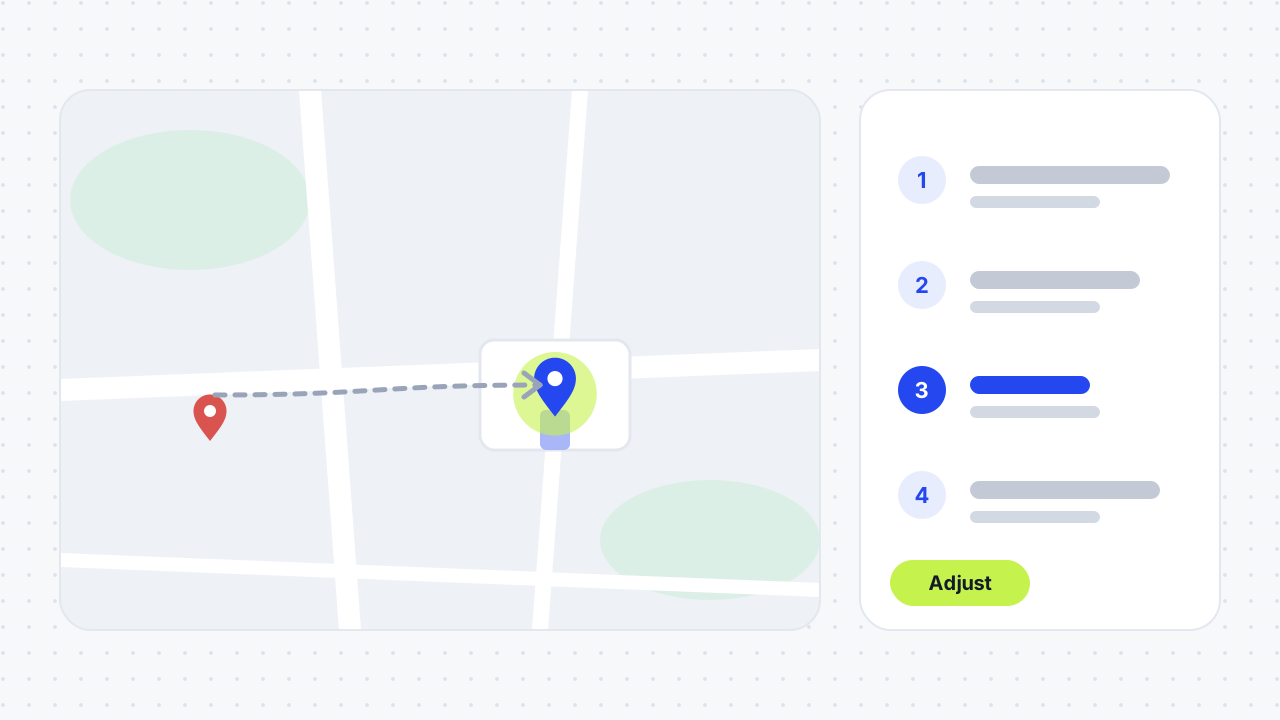
To fix a wrong business location on Google Maps, owners open their Business Profile, choose Edit profile, then Location, and use Adjust to move the pin. Anyone can open the place in Maps and choose Suggest an edit, then Wrong pin location or address. Google says profile changes usually appear in about 10 minutes.

Why is my business location wrong on Google Maps?
The location is usually wrong because Google placed the pin from your address data, or because someone edited it afterwards. Google stores the address text and the map pin separately, so the pin can be wrong even when the written address is correct, and the other way round.
Is the address wrong, or only the pin?
Search for your business and compare the written address with where the marker sits. If the text is wrong, edit the address. If the text is right but the marker is off, fix the pin. The usual causes are:
- Google could not match the address. Search Engine Land explains that a wrong street suffix, or a suite number in the wrong field, can leave the pin anchored to a spot near the real one because Google's geocoding lacks confidence.
- The address has no street number. Google says that when the address has no street number, or the system can't find your business at the address you entered, you can place the pin yourself.
- The road is missing from the map. Google Maps advises adding the road first.
- Someone suggested an edit. Anyone can suggest a change, and a moved pin is a known problem. Sterling Sky describes a client whose pin was moved hours away from the real office.
- A hidden address changed the pin. One tester reported that a service-area business that hides its address can see the pin revert to the address the profile was created with.
How do I fix the map pin as the business owner?
Open your Business Profile, go to Location, and adjust the pin. Use this when you manage the profile.
- Go to your Business Profile and select Edit profile, then Location.
- Next to "Business location", select Edit.
- Check the written address first, and select Save if you changed it.
- If Google can't find the address or you need to correct the marker, select Adjust.
- Move the map so the pin sits on your business.
- Select Done, then Save.
Where should the pin go?
Put it on the entrance customers use, not the middle of the building. Igniting Business says an accurate pin affects Street View, Popular Times data, directions, arrival notifications and delivery drivers. Google adds that editing the pin can also tie your business to a more accurate Street View image. Zoom in to the maximum before you place it.
How do I report a wrong location if I don't manage the profile?
Use Google Maps and suggest an edit. Anyone with a Google account can do this, and Google reviews the suggestion before it changes the map.
- Open Google Maps on a computer and search for the address or business.
- Click Suggest an edit, then Wrong pin location or address.
- Move the pin or enter the correct address information.
- Click Submit.
If you can't find a Suggest an edit option, open the Maps menu, choose Edit the map, then Wrong pin location or address, move and centre the map on the address, and submit. Engage Web reports a third route: right-click the map, choose to report a data problem, select "Wrong information" and correct the pin. In its example Google confirmed the change by email about an hour later.
What if the street or road is missing from Google Maps?
Add the road first, then fix the address. Google Maps says that if the road isn't on the map, you should add it before correcting the address. To fix several addresses, add each one individually. Organisations and governments that handle many addresses can use Google Maps Content Partners if they meet its requirements.
What if someone moved my pin?
Don't drag it back across a long distance from your dashboard. Sterling Sky warns that moving a pin a large distance from the Business Profile can trigger a suspension, which can cost weeks of traffic. It recommends three steps:
- Open the listing on Google Maps and use Suggest an edit to move the pin back.
- Use a Google account other than the one that manages the listing.
- If the edit isn't accepted, contact Google Business Profile support.
Igniting Business says Google reportedly fixed one pin-moving exploit on January 10, 2025, but the author hasn't verified it, so keep checking your pin.
How long do location changes take?
Google says profile changes usually appear in about 10 minutes, but in some cases can take up to 30 days. Igniting Business says pin updates may take 4 to 7 days, and advises trying up to two more times before contacting Google support or a Product Expert. Suggested edits can be quicker or slower: the Engage Web example was confirmed in about an hour.
While you wait, don't resubmit the same change repeatedly. A pin edit goes through the same review as other profile edits, so a pending change keeps the old pin on the map until it is accepted. If a change seems stuck, read why Google Business Profile edits stay pending.
What else can be wrong on the map?
Wrong driving directions, outdated Street View imagery and other map apps are separate problems. If the business doesn't appear at all, see why a business is not showing on Google Maps; if a second profile still shows the old address, use our duplicate Google Business Profile guide. Google lets you report incorrect driving directions to your business and report outdated satellite or Street View imagery, and it says it can't commit to a timeline for imagery changes. Other platforms such as Yelp, Bing, Foursquare and Apple Business Connect also hold their own markers, so fix those separately. Keeping your address identical everywhere is the idea behind local citations.
Which fix route should you use?
Choose the route by who you are and what is wrong. The table combines Google's help pages with the agency advice above.
| Situation | Route | Who can do it | Watch out for |
|---|---|---|---|
| Written address is wrong | Edit profile → Location → edit address → Save | Verified owner | Changes can take up to 30 days |
| Address is right, pin is off | Edit profile → Location → Adjust → Done → Save | Verified owner | Place the pin at the customer entrance |
| No street number or address not found | Adjust to pin the business directly | Verified owner | Google warns when it can't find the address |
| You don't manage the profile | Google Maps → Suggest an edit → Wrong pin location or address | Anyone | Review before it goes live |
| Someone moved the pin far | Suggest an edit from another account, then support | Anyone | A large dashboard move can trigger a suspension |
| Road missing | Add the road in Google Maps first | Anyone | Fix addresses one at a time |
| Wrong driving directions | Report incorrect driving directions | Anyone | Separate from the pin |
| Other map apps still wrong | Update each platform separately | Owner | Apple Maps, Bing, Yelp have their own markers |
01Why is my business location wrong on Google Maps?+
The pin may come from an address Google couldn't match, a missing street number, a missing road or a public edit. Google stores the written address and the pin separately, so one can be wrong while the other is right. Check which one is wrong, then use the matching fix.
02How do I correct a business location on Google Maps?+
If you manage the profile, go to Edit profile, then Location, and select Adjust to move the pin, then Done and Save. If you don't, open the place in Google Maps and use Suggest an edit, then Wrong pin location or address. Google says profile changes usually appear in about 10 minutes.
03How do I fix Google Maps showing a wrong location for a business?+
Search for the business, choose Suggest an edit, then Wrong pin location or address, and move the pin or enter the correct address. Submit it and wait for Google to review it. If you own the listing, use the Business Profile editor instead.
04Why is Google saying I'm in a different location?+
That is usually your device's own location, not a business listing, and the pin fixes in this guide won't change it. This article covers a business that appears in the wrong place on the map.
05Can anyone change my business location on Google Maps?+
Anyone with a Google account can suggest an edit, and Google reviews it before the map changes. Pin edits by competitors or by mistake are a known problem, so check your listing regularly and correct it with Suggest an edit from a different account if needed.
06How long does it take for Google Maps to update a business location?+
Google says profile changes usually take about 10 minutes but can take up to 30 days. Igniting Business reports 4 to 7 days for a pin update. An Engage Web example of a suggested edit was confirmed after about an hour.
07Can moving the pin get my profile suspended?+
It can in some cases. Sterling Sky warns that moving a pin a large distance from the Business Profile dashboard can trigger a suspension. Use Suggest an edit from a different account for large corrections.
08Should I change the address or the pin?+
Change the address if the written text is wrong, and adjust the pin if the text is right but the marker is off. Google also says to use Adjust when the address has no street number or Google can't find the business at the address you entered.
09How do I report wrong driving directions to my business?+
Google says you can report incorrect driving directions to your business in Google Maps, and the Business Profile address help page links to the steps. This is separate from moving the pin.
10How do I fix a road that is missing from Google Maps?+
Add the road first. Google Maps says that if the road isn't on the map, you should add it before correcting the address. After the road appears, use Suggest an edit for the address or pin.
11Do Apple Maps and Bing use my Google pin?+
No. Igniting Business says Yelp, Bing, Foursquare and Apple Business Connect hold their own map markers. Update each platform separately, and keep your address identical on all of them.
12Why does my pin keep going back to the wrong place?+
Likely causes are a hidden address on a service-area business, another person suggesting edits, a duplicate profile or a connected tool that keeps sending the old data. Check who has access, make sure Search and Maps open the same profile, and recheck the pin after any address setting change.
Free SEO audit
Get a straight answer on what to fix first.
Request a free SEO audit and we will come back with the largest constraint on your organic growth and the first practical fix. No sales sequence.
Prefer to hire through Upwork? Hire me on Upwork