Local SEO
Google Reviews Not Showing: How to Check Missing or Removed Reviews
Google reviews usually go missing because they are still being checked, were removed for breaking policy, sit on a duplicate or merged profile, or are visible only to the reviewer. Google says policy checks can take a few days. First view your listing signed out, then ask the reviewer to confirm.

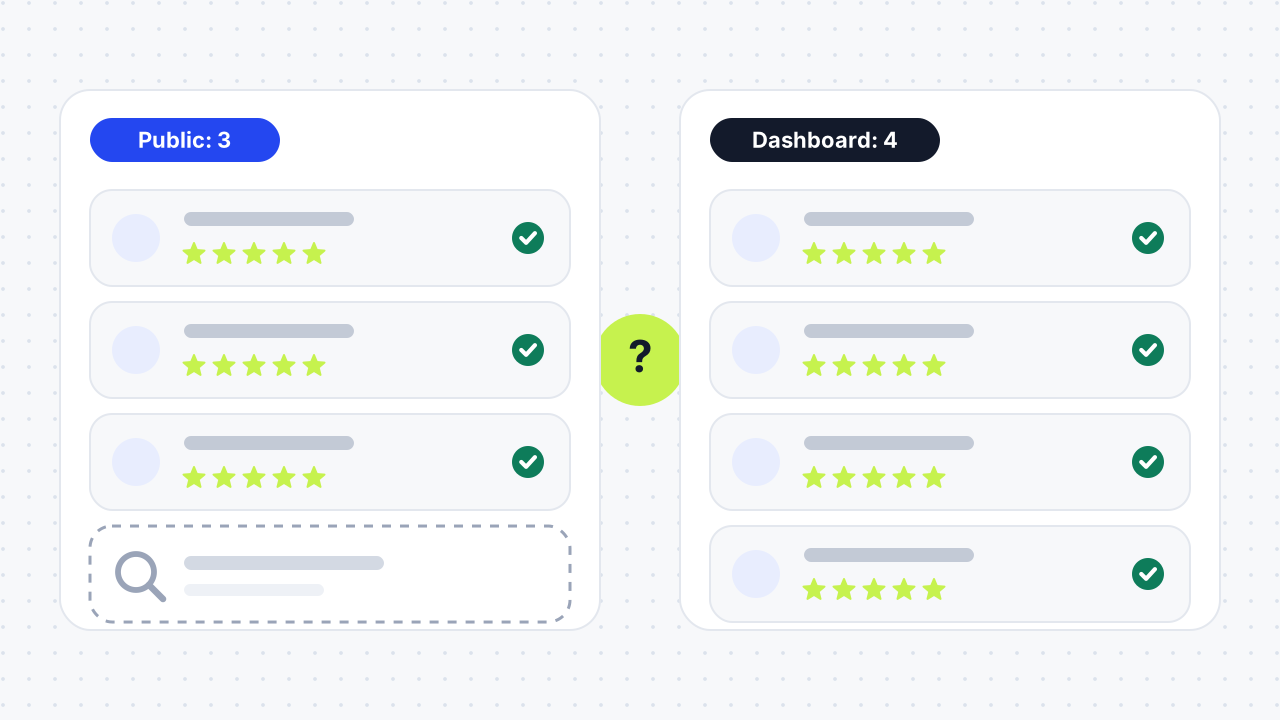
What does it mean when Google reviews are not showing?
It means one of three things: a review never appeared, a review that was visible has disappeared, or a review shows in one place, such as the reviewer's account or your dashboard, but not on the public Business Profile. Each case has different causes, so decide which one you have before you try any fix.
Google's own help page says reviews are usually removed for policy violations such as spam or inappropriate content. The other causes sit in your profile setup, in the reviewer's account, or in delays on Google's side. If the whole listing is missing rather than a review, see why a business is not showing on Google Maps.
How do I check if a Google review is missing or removed?
Check the public listing while signed out, compare it with what you see as the owner, and then ask the reviewer to confirm what they see. This takes about five minutes and tells you which of the three cases applies.
The five-step check
- View the listing signed out. Open a private window, search for your business on Google Search and Maps, and confirm both open the same profile. If you find a second listing with your name, your review may be sitting on a duplicate listing.
- Compare the counts. Note the review count in your Business Profile and the count shown publicly. If the dashboard number is higher, NiceJob advises treating it as a temporary display or caching problem and checking again later.
- Ask the reviewer to check their own account. A Google Help community answer from September 2025 says that when a reviewer can see a review in their account but the public can't, Google's system has held it back.
- Rule out device problems. Customers on older phones or software can have trouble posting, and Google recommends updating the Maps app.
- Look at your profile. Check whether the profile is verified, recently merged or reinstated, and whether the listing details are correct.
What does the result tell you?
| What you see | Most likely cause | What to do next |
|---|---|---|
| Reviewer posted minutes or hours ago | Policy check still running | Wait up to 72 hours before acting |
| Reviewer sees it, public can't | Held back by Google's filters | Ask reviewer to remove any link or promotional wording and repost |
| Count dropped suddenly | Reinstatement, merge, or policy removal | Check profile status, then contact Google support |
| Review shows on a different listing | Duplicate listing | Report the duplicate and complete merge or verification steps |
| Dashboard count higher than public | Display or caching glitch | Recheck in a day, then report if it persists |
| All reviews gone | Profile suspended, reinstated or user content temporarily disabled | Contact support with your profile link |
How long does it take for a Google review to show up?
Most reviews appear within minutes, but Google says its policy checks can take a few days, which can delay a review's appearance. Birdeye and NiceJob put moderation delays at 24 to 72 hours, and Dalton Luka reports that reviews flagged for manual review can take three to five days.
A merged profile is slower: Google says reviews from both profiles can take a few days to show on Search and Maps, and NiceJob puts the wait at up to seven days. As a rule, don't treat a review as missing until three days have passed, and don't open a support case until the reviewer confirms they posted it.
Why does Google remove or filter reviews?
Google removes or hides reviews that break its review policies, and reviews removed for policy violations are not restored. NiceJob reports that Google's 2026 Trust and Safety report counted 292 million policy-violating reviews removed in 2025, so filtering is routine rather than rare. That figure is a vendor's summary, so check Google's report before quoting it.
Spam, fake and paid reviews
Fake reviews, bought reviews and reviews offered in exchange for a reward violate Google's guidelines and can lead to removal of the review or the listing. Google's filters also flag unusual patterns, such as many reviews in a short time or near-identical wording. If you ask customers for reviews, space the requests out.
Links, profanity and promotional content
Reviews that contain a URL, promotional text or profanity are often removed quickly. A reviewer can fix this by editing the review to take out the link and posting it again.
Conflicts of interest and shared QR codes
Reviews from employees, owners or other insiders can be filtered as conflicts of interest. Birdeye also warns that one public QR code used by many people can look like suspicious review activity, so give review links to real customers rather than leaving them in open view.
Problems with the reviewer's account
A review can vanish because the customer deleted it, deleted or deactivated their Google account, or had the account flagged. In those cases nothing is wrong with your listing, and the review can't be recovered from your side.
Which profile problems hide Google reviews?
Profile problems hide reviews when Google can't tie them cleanly to one active, verified listing. The common ones are below.
Duplicate and merged profiles
When a duplicate listing exists, customers may review that one instead of yours. Search Maps for your business name, report or merge the duplicate, and complete the verification steps so the reviews end up in one place. The full routes are in our duplicate Google Business Profile guide.
Unverified, inactive or reinstated profiles
An unverified profile has limited features, and ReviewTrackers says a listing left inactive for a long time can lose verification, which removes it from Search and Maps. Google also says reviews can be removed after a profile is reinstated. If that happens, contact support. Our suspended profile recovery guide covers the appeal route, and our verification failed guide helps if verification is the problem.
Opening dates and category rules
Several guides, including Birdeye and Dalton Luka, report that reviews left before a listed opening date can be removed. Google has one category rule most guides skip: reviews and ratings are removed and disabled for profiles primarily categorised as an educational institution for students aged 6 to 18, while universities, day care centres and swim schools are excluded. Change the category only if it is genuinely wrong for the business.
How do I get missing Google reviews back?
Fix what you control first, then report the review to Google with evidence. Reviews that Google removed for policy violations can't be restored, so only a wrongly filtered, delayed or reinstated review is worth a report.
What you can fix yourself
Ask the reviewer to repost without links, merge or report duplicates, finish verification and correct the listing details. If the reviewer deleted the review or the account, ask for a new one.
How to report a missing review to Google
Dalton Luka lists these steps for Google Business Profile support:
- Open a support ticket for your profile.
- Choose the Engage with customers topic.
- Select the Reviews option.
- Click Contact us.
- Select Review missing, pick a contact method and submit.
The same guide says support usually replies within 72 hours and resolves cases in about seven days. Those timings come from the guide, not from Google, so treat them as a rough guide.
What to send as evidence
Send the reviewer's name, the date they posted, a screenshot or confirmation email from the reviewer, and your profile link. NiceJob advises documenting everything before you contact support, because "a review disappeared" is hard for support to check without a record.
How can you stop new reviews from disappearing?
Ask for reviews in a steady, honest way and keep the profile healthy. NiceJob suggests asking within 24 to 48 hours of each customer interaction rather than in bulk, and replying to every review. Don't offer rewards for reviews, don't screen who you ask, and keep your profile verified and accurate. Our guide to getting more Google reviews in the UK sets out a repeatable request process and what UK rules prohibit.
01How long does it take for Google reviews to show up?+
Most appear within minutes, but Google says policy checks can take a few days. Birdeye and NiceJob cite 24 to 72 hours for moderation. A review sent to manual review can take three to five days, according to Dalton Luka.
02Why can't I see Google reviews anymore?+
If all reviews are gone, the usual causes are a suspended or reinstated profile, a merged or duplicate listing, temporarily disabled user content or a display glitch. Google says reviews can be removed after reinstatement. Check your profile status and contact support if you were reinstated.
03Why isn't my review showing up?+
New reviews are checked against Google's policies, which can take a few days. Reviews with links, profanity or promotional wording are often removed. If you can see your review in your own account but others can't, Google has held it back, so edit out any links and repost.
04Why are my Google reviews not published?+
Reviews stay unpublished while a policy check runs or when they break a policy. An unverified profile or a duplicate listing can also keep them from appearing on the profile you manage. Check the listing signed out and compare it with your dashboard.
05Can Google remove reviews without telling me?+
Yes, reviews removed for policy reasons can simply disappear, and Google's help page does not promise a notice. It also says reviews removed for violations are not restored. Check your review count regularly.
06Can I get my reviews back after Google removes them?+
Sometimes. Reviews removed for policy violations are not restored, but reviews lost after a reinstatement, merge or filter error can be reported to support with evidence. Include the reviewer's name, date and a screenshot.
07Can a business owner delete a Google review?+
No. Owners report reviews that break Google's policy and Google decides whether to remove them. If a customer posts a genuine negative review, reply to it instead.
08Why would a 5-star review disappear?+
The star rating doesn't protect a review. Spam filters, links, conflict-of-interest checks, a flagged reviewer account or a deleted account can all remove a five-star review.
09Why did I lose reviews overnight?+
A sudden drop usually points to a profile event, such as a merge, a reinstatement, a verification problem or a filter sweep. Check your profile status first, then contact support with your profile link and the earlier review count.
10Why is my Google review not showing publicly but I can see it?+
Google's system probably held it back for moderation or a filter. A Google Help community answer says that if you see your review in your account but not in public, Google has held it back. Remove any link, keep the wording original and wait for the check to finish.
11Why are Google reviews not showing on mobile?+
Birdeye lists app caching, outdated Google Maps versions, moderation delays and sync issues. Update the Maps app, restart it and compare against the desktop view.
12Will a merged profile show all my reviews?+
Eventually, yes. Google says reviews from both profiles can take a few days to appear on Search and Maps after a merge. NiceJob says up to seven days.
Free SEO audit
Get a straight answer on what to fix first.
Request a free SEO audit and we will come back with the largest constraint on your organic growth and the first practical fix. No sales sequence.
Prefer to hire through Upwork? Hire me on Upwork