Local SEO
Google Business Profile Categories: How to Choose the Right Primary Category
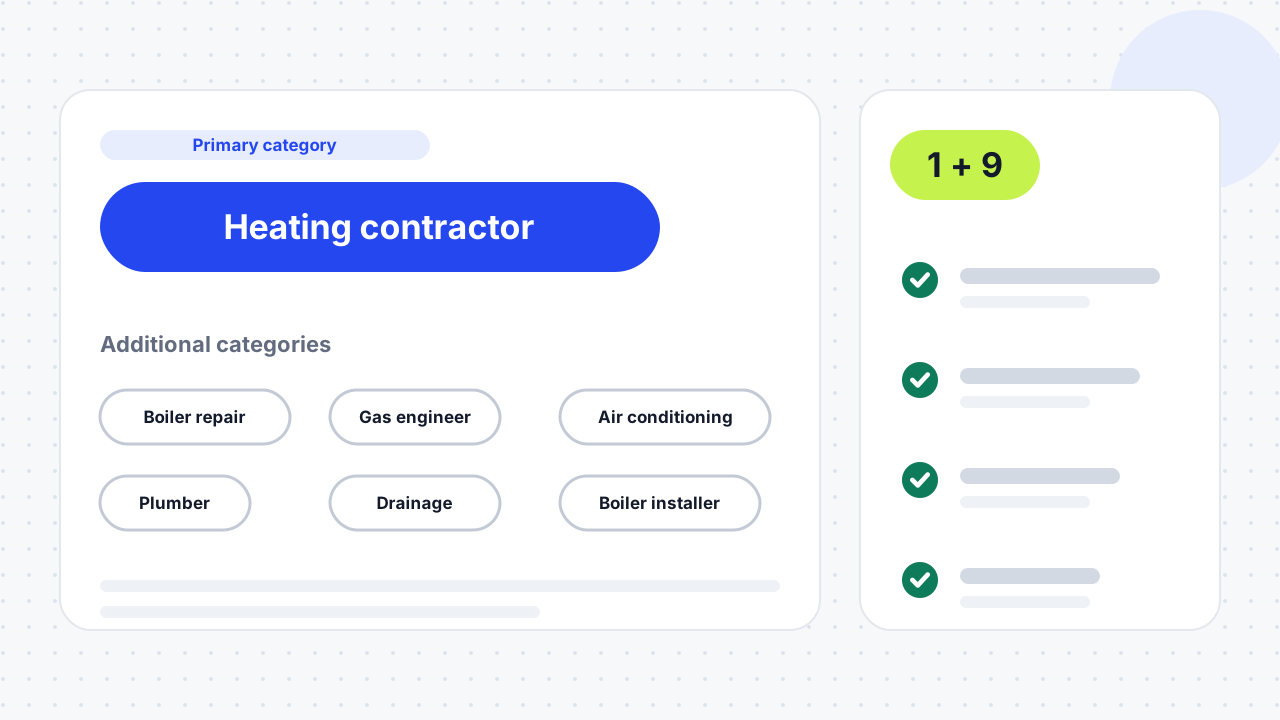
A Google Business Profile category is a label from Google's fixed list that tells Google what your business is. Choose one primary category that names your core business, and add up to nine additional categories only for services you really offer. Pick the most specific primary category that fits.

What is a Google Business Profile category?
A category is a label you choose from Google's fixed list to say what kind of business you are, and it helps connect your profile to relevant searches and affects local ranking. You can't create your own category. The list holds roughly 4,000 options, and Local Dominator counted 4,045 in November 2026.
Google does not publish one complete public list. The options you see depend on what you type into the live category field inside your profile, and the Google Business Profile APIs include a method that lists categories by region and language. Your primary category also decides which features your profile can use. Google says hotels can show class ratings, restaurants can add menu and reservation links, and health and beauty businesses can add a booking button.
How many categories can I choose?
You can choose one primary category and up to nine additional categories, ten in total. Google's edit page says to select the category that best matches what your business does and add up to nine more.
Using all ten is not a goal. Local Dominator says two or three strong additional categories usually beat a padded list, and Uberall warns that category stuffing dilutes your local relevance. Add a category only when customers would genuinely hire you for it.
How do I choose the right primary category?
Choose the most specific category that describes what your business is, not everything it does. Google's own example is to pick "Nail salon" rather than "Salon", and to fall back to a general category only when no specific one fits.
- Write one sentence. Finish "We are a ___" with a single noun phrase. That phrase, not your service list, points to your primary category.
- Search the live field. Type that phrase into the category box in your profile and pick the most specific match. Third-party lists go out of date, so use the live suggestions rather than a downloaded list.
- Check what the category unlocks. Confirm it still gives you the features you need, such as a services list or a booking button.
- Compare with local competitors. Look at the primary categories of businesses that outrank you in the map pack and ask whether a more precise category fits you. A local SEO audit covers this check alongside the rest of your profile.
- Save and log it. Record the date, the old and new category and where you ranked before, so you can judge the change later.
What if your business covers several services?
A narrow business should take the most specific category: a divorce attorney should choose "divorce attorney", not "lawyer". A broad business should lead with the work it most wants, so an HVAC company that prefers heating jobs might make "heating contractor" its primary category, according to BrightLocal. Firms and individual practitioners can both have listings in some verticals, and giving both the same category can make them compete, so BrightLocal recommends testing. Nearby multi-location branches with identical categories can also compete with each other.
What if the category you want does not exist?
Pick a broader category that still describes the business. BrightLocal's example is a speakeasy-style bar using "bar" or "cocktail bar". Google doesn't allow custom categories, so a close, honest fit is better than a stretched one.
How do I choose additional categories?
Add additional categories only for real lines of business or departments that customers use. Google's example is a grocery store with a bakery and a deli, which can add "Bakery" and "Deli" as additional categories. Departments that are run independently should have their own Business Profiles instead.
BrightLocal advises against leaving additional categories blank: add the related categories you did not pick as primary. A seasonal business can also update its primary category when its focus changes, because that affects relevance through the year. If you serve customers at their address rather than yours, read our service area business guide too.
How do you decide when a business fits more than one category?
Match the situation to a rule, then test it. The table summarises the guidance in this article, and the rules come from Google's help page, BrightLocal and Local Dominator.
| Situation | Primary category rule | Check before saving |
|---|---|---|
| Narrow, single-location business | Most specific category that fits | Live field shows the exact term |
| Broad business with one favourite service | Category for the work you most want | Competitors in the map pack use it |
| Firm plus individual practitioners | Test different categories for each listing | Listings are not competing for the same search |
| Several nearby locations | Spread categories where honest | Branches don't cannibalise each other |
| Seasonal business | Change primary category as the focus changes | Keep a dated change log |
| Niche business with no exact label | Closest broader category | Don't stretch to an unrelated label |
Keep a simple change log for every edit: date, old category, new category, reason and where you ranked before. Review it a couple of times a year, because Google updates its list and your services change. Dalton Luka's category list reported two new categories in November 2026, "Babysitter" and "Home care service", so it pays to look again.
How do I add or change a Google Business Profile category?
Open your profile, edit the category field, enter the new primary category, save, then wait for review.
- Go to your Business Profile and select Edit profile.
- Next to "Business category", select Edit.
- Enter a category in the "Primary category" box and choose one from the list.
- To add another, select Add another category, or select Remove next to one you no longer want.
- Select Save.
Google warns that when you add or edit a category, you might be asked to verify your business again. Category edits go through the same review as other edits: Google says reviews usually take about 10 minutes but can take up to 30 days. If a change stays pending, see why Google Business Profile edits stay pending.
Why does Google change my categories?
Google can override categories using what it finds online about your business. Uberall notes that primary category changes can trigger re-verification and that Google may update categories itself. Keep your website pages, listings and profile consistent so the information Google finds agrees with your chosen primary category, and watch the alerts in the Edit profile section for changes Google makes. Our Google Business Profile optimisation guide lists the other fields to keep consistent.
What category mistakes should you avoid?
Most mistakes come from choosing for ranking instead of describing the business honestly.
- Choosing what you want to rank for. The primary category must answer "This business is a..." rather than what you offer occasionally.
- Stuffing categories. Adding categories you don't offer dilutes relevance.
- Using a general category when a specific one exists. "Salon" loses to "Nail salon" for nail searches.
- Copying a competitor without checking fit. Their business may differ from yours.
- Ignoring features. Some categories unlock booking buttons, menus and ratings.
- Never reviewing. Services and Google's list both change.
01What is a business category in Google Business Profile?+
It is a label from Google's fixed list that says what your business is. You pick one primary category and up to nine additional ones. The category helps Google match your profile to searches and decides which features your profile can use.
02What should I put for my business category?+
Put the most specific category that describes what your business is, such as "Nail salon" rather than "Salon". Finish the sentence "We are a ___" and search the live category field for that phrase. Use a general category only if no specific one fits.
03How do I change my business category in Google Business Profile?+
Open your Business Profile, select Edit profile, select Edit next to "Business category", enter a new primary category and save. Google may ask you to verify your business again. The change goes through review, which usually takes about 10 minutes but can take up to 30 days.
04How many categories can a Google Business Profile have?+
One primary category and up to nine additional categories, ten in total. Most guides advise using fewer, because stuffing dilutes relevance. Two or three strong additional categories usually work better than a full list.
05Can I create my own Google Business Profile category?+
No. You must choose from Google's fixed list of roughly 4,000 categories. If your exact business isn't listed, pick a broader category that honestly fits.
06Where can I find the full list of Google Business Profile categories?+
Google doesn't publish one complete list for the public. The options appear in the category field of your own profile, and they depend on your region and language. Third-party lists exist but go out of date, so use the live field to confirm.
07Does the primary category matter more than additional categories?+
Yes. BrightLocal calls the primary category a major local ranking factor, and Local Dominator says it carries the most ranking weight. Additional categories support your profile but don't carry the same weight.
08Will changing my category require re-verification?+
It can. Google warns that adding or editing a category might prompt you to verify your business again. Be ready to complete verification after you save the change.
09Do categories decide which features my profile gets?+
Yes. Google says hotels can show class ratings, restaurants can add online order, reservation and menu links, and health and beauty businesses can add a booking button. Check that a category still unlocks the features you need before you switch.
10Can different locations use different categories?+
Yes, and it can help. BrightLocal notes that nearby locations with the same category may compete with each other, so spreading categories across locations, where each one is honest, can reduce that. Be as specific as possible for each location.
11What if my category isn't on the list?+
Choose the broader category that still describes you, for example "bar" or "cocktail bar" for a speakeasy-style bar. You can't add a custom label, so a close and honest match works best.
12Do categories matter for AI answers?+
Probably. Uberall says AI tools build answers from structured location data, including categories and attributes, and warns that a wrong primary category can keep a business out of AI answers. That is a vendor claim, so treat it as a reason to be accurate rather than a guarantee.
Free SEO audit
Get a straight answer on what to fix first.
Request a free SEO audit and we will come back with the largest constraint on your organic growth and the first practical fix. No sales sequence.
Prefer to hire through Upwork? Hire me on Upwork